
How daily usage works
Why your daily capacity isn't just a message count and what to expect when you approach it.
It's not as simple as a message count
Think of your daily usage allowance as capacity, not a message counter. The number of messages you send is only part of the picture, what matters more is what those messages are actually asking Littlebird to do.
For example, a new message in a long, ongoing conversation costs significantly more than starting a fresh chat, because Littlebird is processing your entire conversation history with every reply. A complex, multi-step request draws more than a simple question. The same number of messages can produce very different usage profiles depending on how you're using them.
This is why Littlebird doesn't expose a raw message count, because that number would be misleading. Two people could each send 100 messages in a day and have a completely different experience of their limits, based on the depth and complexity of what they were working through.
TL;DR
Usage is based on what you're asking, not just how many messages you send
A message in a long conversation costs more than a fresh chat
A complex request costs more than a simple one
Chat types and how they work together
Littlebird uses different chat modes depending on what you need and how much capacity you have available:
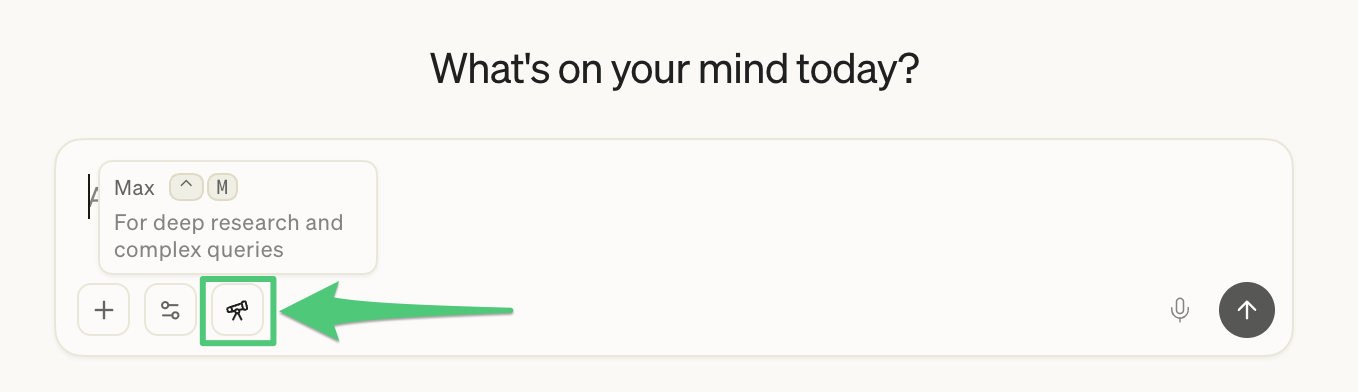
Max Intelligence: extended thinking, deep research, and complex multi-step tasks
Regular chats: your everyday AI conversations powered by advanced intelligence
Quick chats: a streamlined version that leverages standard intelligence and optimized for speed
These work as a tiered system. As your regular chat capacity runs low, Littlebird shifts you toward quick chats to keep you going rather than cutting you off abruptly.
Max Intelligence is handled separately and activated by clicking the Max icon on the bottom left of your chat box.
What you'll see when you're running low
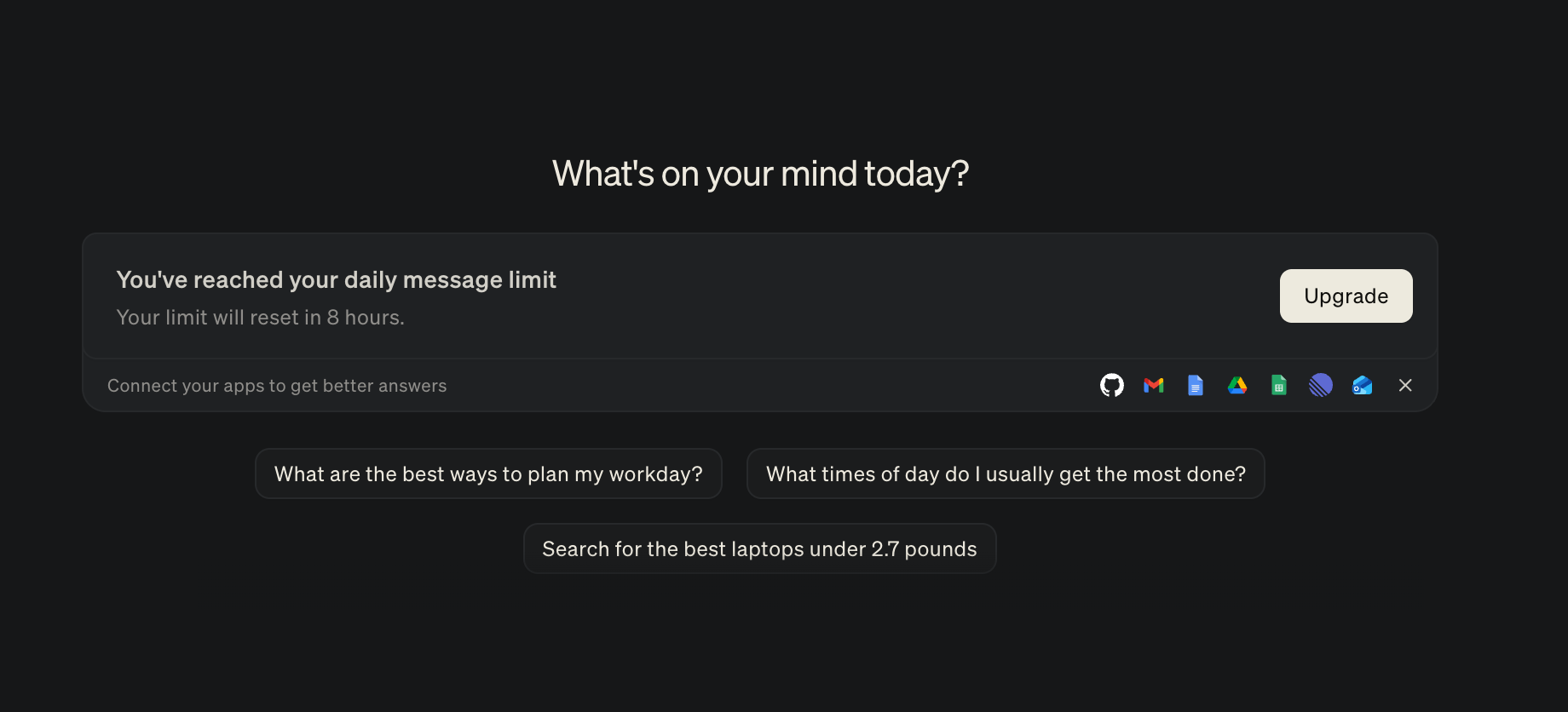
Littlebird won't leave you guessing. As you approach your limits, you'll see an in-app indicator. If your standard chats are exhausted and Littlebird has shifted you to quick chats and you'll see one of these messages giving you a heads up as you near this limit:
"You have 10 messages until Littlebird temporarily switches to a lighter version."
Quick chats are still useful for straightforward tasks and requests, just not as powerful as the full experience. Standard chats utilize advanced intelligence which allows them to process a greater amount of context with a deeper level of analysis.
When does my allowance reset?
Your daily allowance resets at midnight local time. If you hit your limit at 2pm, your full capacity will be available again by the start of the next day.
Tips for getting the most out of your plan
Start fresh for new topics. A message in a long thread costs more than a fresh chat, when you're done with a topic and don't need that context, open a new conversation
Plan before you send. A well-structured first message with clear context, format, and outcome gets you there in one or two replies instead of five
Batch related questions. Combine multiple related asks into one message rather than sending them one at a time
Let memory work for you. Reference earlier context rather than re-explaining it. The more you use Littlebird, the less setup you need
Need more capacity?
If you regularly hit your limits, upgrading gives you significantly more across all chat types. Pro 5x will increase daily capacity across all chats, with enough Max Mode for most users to run it all day. You can upgrade anytime from Settings > Subscription.
See also: Littlebird's subscription plans, Managing your Littlebird subscription