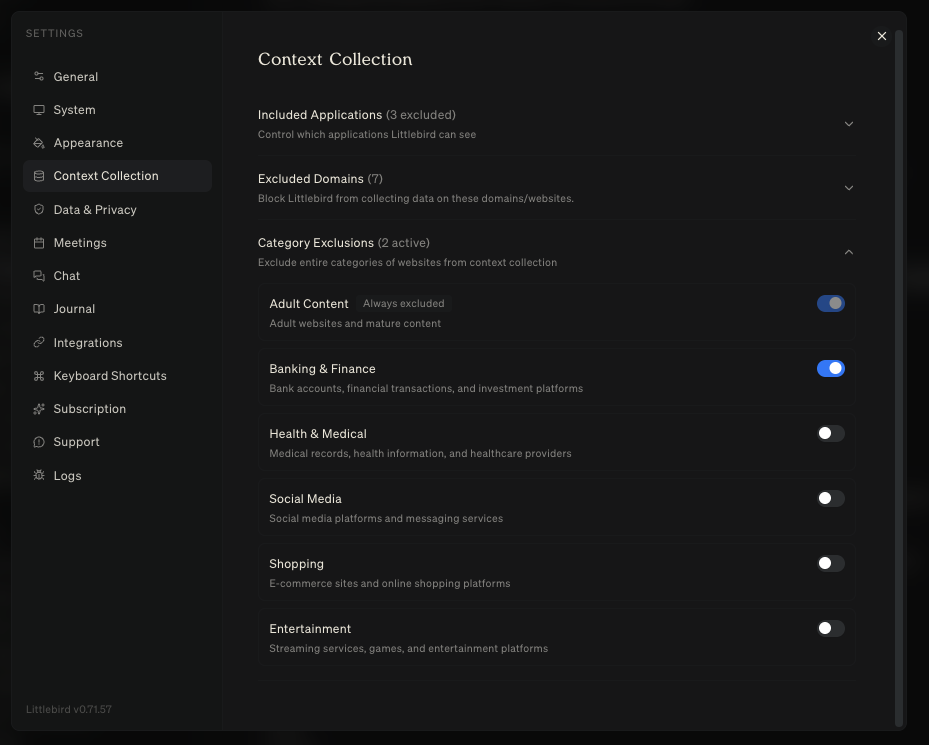
Excluding content from your Context
Excluding specific applications
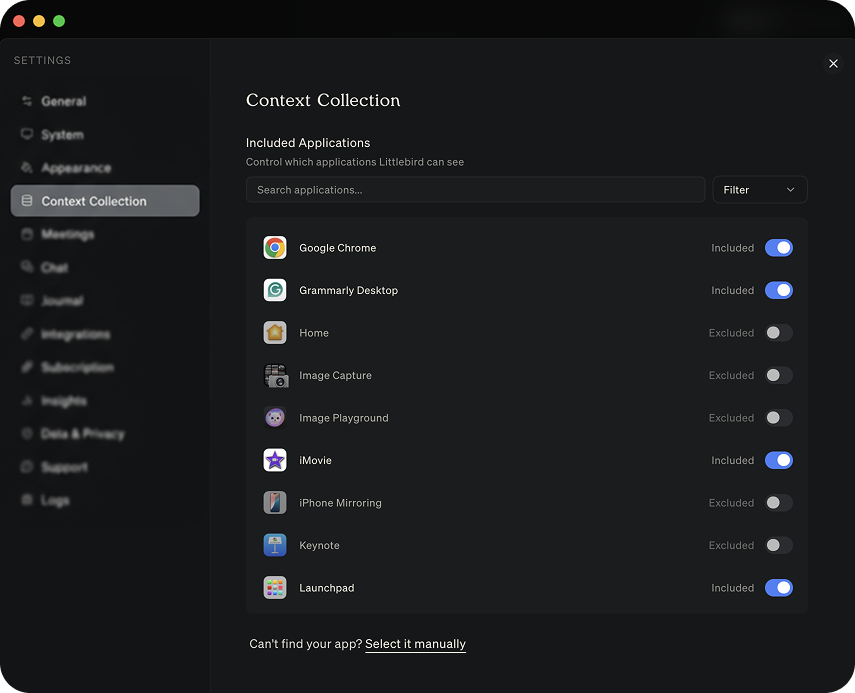
If there are applications you do not want Littlebird to see, you can add them to the exclusion list.
Navigate to Settings in the Littlebird app
Go to the Context Collection tab
Here, you can control which applications Littlebird can see
This combination of controls ensures that you can benefit from Littlebird's contextual awareness while maintaining complete authority over your privacy.
You have full control over when and what Littlebird collects.
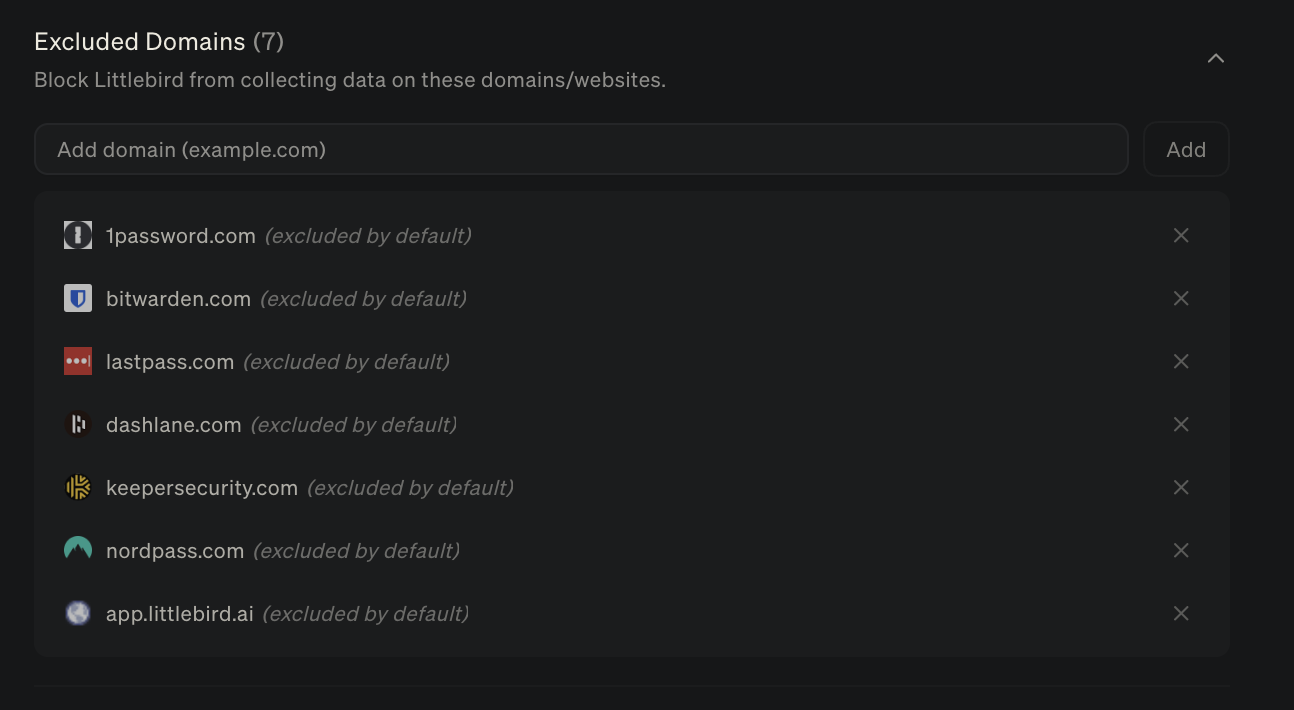
Excluding specific website domains:
You can also exclude specific website domains across your browsers to ensure context is not pulled from these sites, keeping your private information private. Simply just add the domain to the list and you're all set.
Category Exclusions:
You can exclude categories of content from your browsers to remove the work of having to add a bunch of individual websites. Adult content will always be excluded by default. Simply, click the toggle on and when it's blue, the content will be excluded.